How to Write a YouTube Description That Earns Its Space
For a long stretch of my channel I left the description almost empty. A line or two, sometimes nothing. The video was edited, the thumbnail was fine, the title had been argued over for twenty minutes — and then the box underneath got whatever I could type before the upload finished.
It took me an embarrassingly long time to notice what that box actually is. It is the only place on the page where you get to explain the video in your own words, to two audiences at once: the person deciding whether to watch, and a system deciding what this video is about.
What a Description Is Genuinely For
Let me set the expectations honestly first, because there is a lot of confident nonsense written about this. YouTube has never published a description formula, and there is no verified word count, keyword density or structure that lifts a video in the rankings. Anyone selling you one is guessing.
What a description does do is provide context. It tells a viewer what they are about to spend twenty minutes on, it lets them navigate, it points them at the next thing to watch, and it gives the platform readable text about a video that is otherwise just pixels and audio. Written well it makes the video legible. Written badly it makes it ambiguous. That is worth a few minutes of your time without any ranking magic attached.
Only the First Two Lines Are Really Read
Here is the constraint everything else hangs off. On a phone, a viewer sees roughly a line or two of your description before it is cut off behind a tap. Most people never tap.
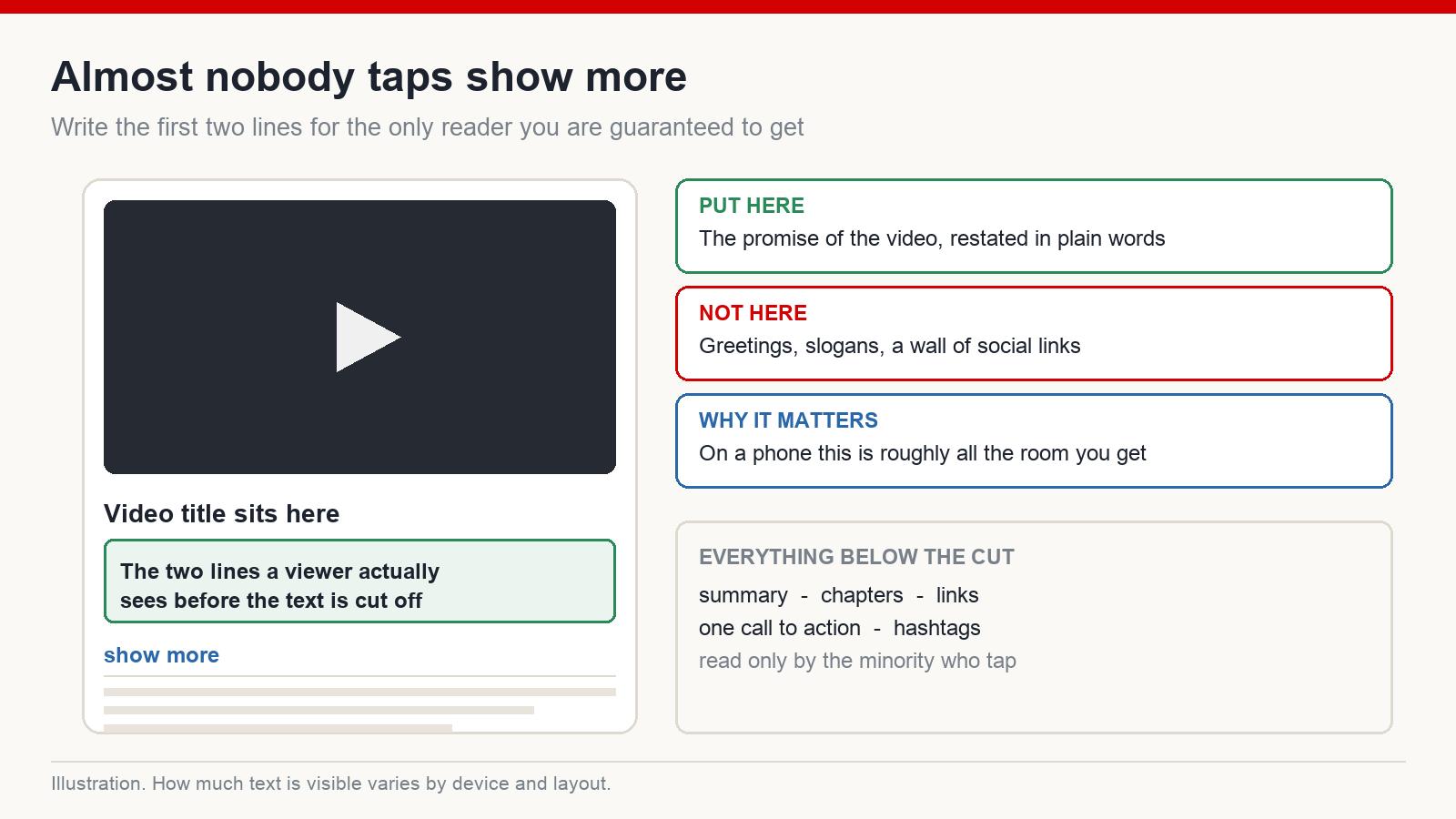
So those first lines are not a place for a greeting, a channel slogan, or a row of social links. They are a second chance at the promise your title made. Restate what the viewer is about to get, in plain language, without repeating the title word for word.
Something like: Every faceless channel I audit has the same three problems in its packaging. Here is how to find them on your own channel and what to change first. That is a sentence doing work. A row of emoji and a subscribe plea is not.
The Body: Tell the Human and the Machine the Same Story
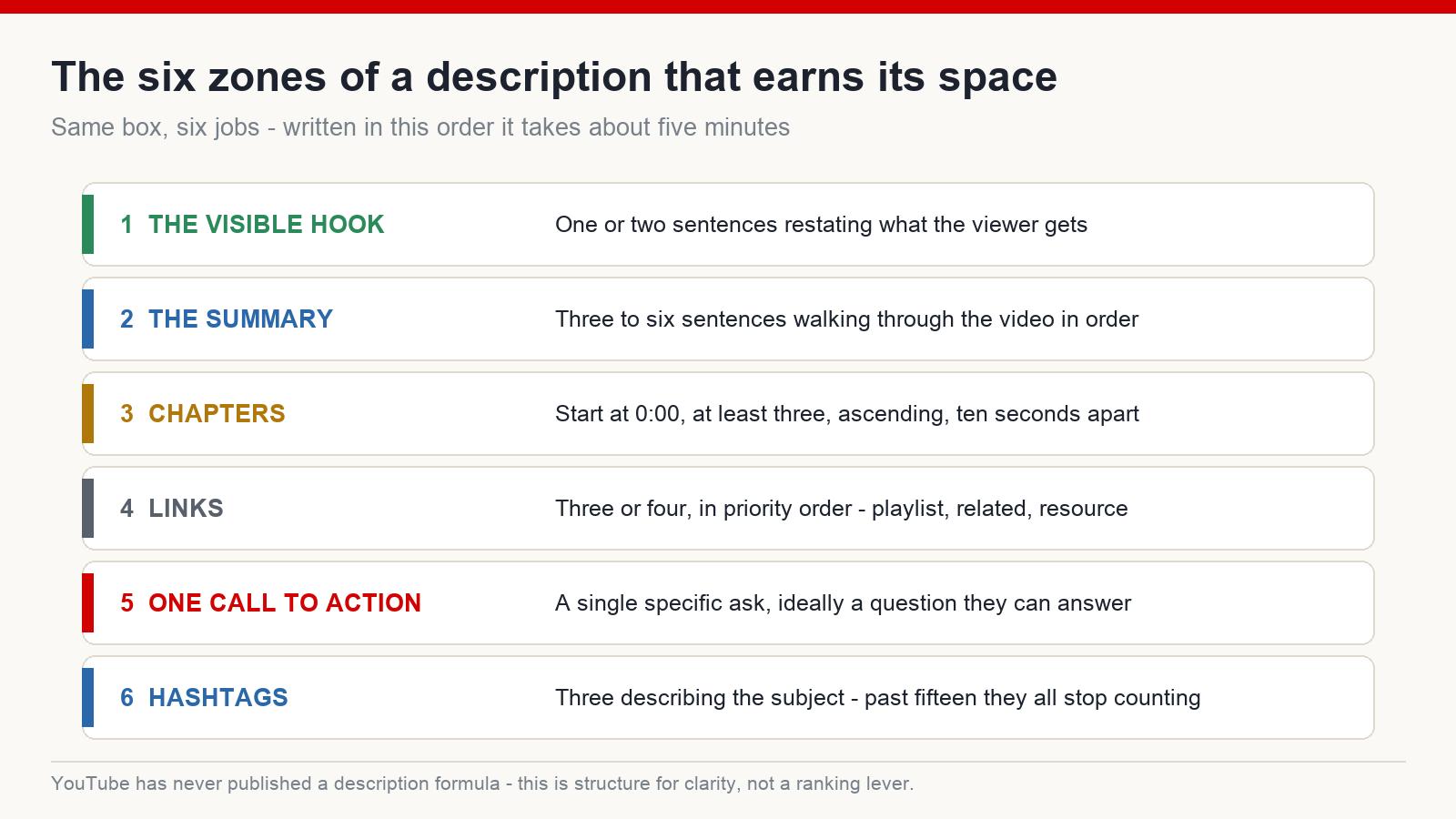
Under the fold, summarise what the video covers, in the order it covers it. Not a transcript — three to six sentences that walk through the shape of the video.
This is where your subject vocabulary naturally lives. If the video is about researching a niche, you will use the words a person researching a niche would use, because you are describing the thing accurately. That is the whole trick. Repeating one phrase nine times does not make the video more findable; it makes the description unreadable, which is a cost with no matching benefit.
Chapters Are the Most Underused Part of the Box
Timestamps turn your description into a navigation bar under the player, and unlike most description advice, the rules here are concrete and published.
- The first timestamp has to be
0:00 - You need at least three of them
- They must run in ascending order
- Each chapter has to be at least ten seconds long
Get those right and the chapters appear automatically. Beyond navigation, the chapter names are a second set of honest labels describing what is inside your video — which is exactly what a description is supposed to supply.
Links, and Knowing When to Stop
A short set of links, relevant to this video, works. A wall of every platform you have ever registered on does not — it buries the two links you actually wanted clicked and makes the page feel like a mailing list.
My rule is three or four, in priority order: the playlist this video belongs to, one directly related video, and the resource mentioned in the video if there is one. Everything else can live on your channel page, which is where people look for it anyway.
One Call to Action, Not Five
Subscribe, comment, share, join, watch next, follow elsewhere — pick one. A single specific ask converts better than a list, because a list is a decision and viewers do not make decisions in a description box.
The best-performing ask I use is usually a question rather than a request. Asking which of the three approaches someone is going to try gets more responses than asking for a comment, because it tells them what to type.
Hashtags: Three, and No More Than Fifteen
The first three hashtags in a description display above the video title, which makes them a small piece of packaging rather than a formality. Choose them to describe the subject, not to decorate.
The number that matters: use more than fifteen hashtags and the platform ignores all of them on that video. Almost nobody needs more than three anyway.
Credit Whatever You Licensed
Music, stock footage, images, graphics — if the licence asks for attribution, put it in the description in the wording the licence specifies. This takes thirty seconds and is the cheapest insurance in the whole upload process. Copyright disputes are far easier to avoid than to resolve.
The Pinned Comment Does Half of This Job Better
Since most viewers never open the description, the pinned comment is where your context reaches people who are actually looking at the page.
Mine usually carries one line summarising the point of the video, the answer to the question I know will be asked repeatedly, and one link. It takes a minute after publishing and gets seen far more than anything under the fold.
A Template You Can Use Today
Here is the skeleton, followed by a filled-in example so you can see the shape rather than just the labels.
[Lines 1–2 — the visible part] One or two sentences restating the promise of the video in plain language.
[Summary] Three to six sentences describing what the video covers, in order.
[Chapters] 0:00 Intro · then each section with its timestamp.
[Links] Playlist · one related video · any resource mentioned.
[One call to action] A single specific ask, ideally a question.
[Hashtags] Three, describing the subject.
And filled in, for a video about packaging a faceless channel:
Most faceless channels lose their views in the packaging, not the edit. This walks through the three checks I run on a channel before I look at anything else.
I start with the title and what it tells the platform about who the video is for, then look at whether the thumbnail is readable at phone size, and finish with the description and chapters. Along the way I show what I compare each video against — the median of the channel’s own last ten uploads — and why comparing against other channels tells you very little. There is a short section at the end on what to change first when everything looks wrong at once.
0:00 Why packaging fails before content does
2:14 Check one: who the title sorts you towards
7:40 Check two: the phone-size readability test
13:05 Check three: description and chapters
18:22 What to fix firstFull playlist on channel packaging: [link]
Related: how to read your own analytics baseline: [link]Which of the three checks is your channel failing? Tell me in the comments and I will read every one.
#facelesschannel #youtubetips #channelaudit
The Five-Minute Version
- Write the first two lines for a human who will never tap “show more”
- Summarise the video in order, in your normal vocabulary, without stuffing
- Add chapters, starting at 0:00, at least three, ten seconds apart or more
- Three or four links, one call to action, three hashtags
- Credit anything licensed, then pin a comment carrying the same context
A description will not rescue a video nobody wants. But every video you publish deserves to be understood by the people who find it, and this is the only part of the page where you get to explain yourself in full sentences. Five minutes, every upload, permanently.
How long should a YouTube description be?
Long enough to explain the video and no longer. The field allows a great deal of text, but padding it out does nothing for you and makes the useful parts harder to find.
Should I repeat my main keyword several times?
No. Describe the video accurately and the relevant words appear naturally. Repetition makes the description worse to read without any confirmed benefit.
Do I need to write a new description for every video?
The summary and chapters, yes — those are specific to the video. The links, call to action and hashtag block can be a saved template you adjust.
Does the video file name matter for search?
There is no confirmation that it affects anything on the platform. Naming files sensibly helps you find them on your own drive, which is reason enough, but do not treat it as an optimisation.
If you want the rest of the packaging workflow — niche research, titles, thumbnails and descriptions built for an English-speaking audience — that is what I work through at mmoyoutube.com.